
We’re updating our past RevitTotD posts for the latest version of Revit available at the time of posting. So a lot of this is copied verbose from the previous posts, but updated where needed. Be sure you comment on the post or videos to request what you want to see on the NEW tips! Welcome back!
[Original Post: Linked Model Multitasker]
Ever found yourself working on a model with models linked in and you need to make some modifications to the linked model? You go to open the linked model and you get that annoying message that tells you the model is open already and will be unloaded from the other model if you continue. This is the point at which new revit users mumble under their breath “This wouldn’t be a problem if we were using AutoCAD.”
Fear not, here’s a simple little tip that should ease the burden of making quick changes to linked models.
Ready?
You sure you won’t be mad when you see the simplicity of this little tip?
OK, here goes:
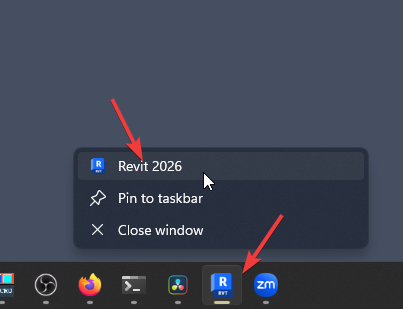
- Open another instance of Revit. The easiest way to do this is to right click Revit on your task bar and click the Revit icon
- Load the revit model that you want to make the change to… wait… waaait…
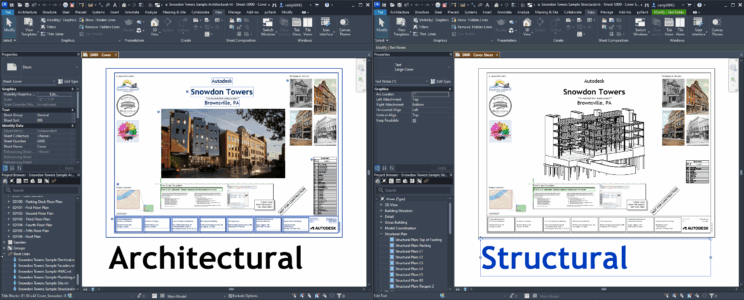
- …And there you go! You now have both models open at the same time without unloading one model from the other in order to work on it.
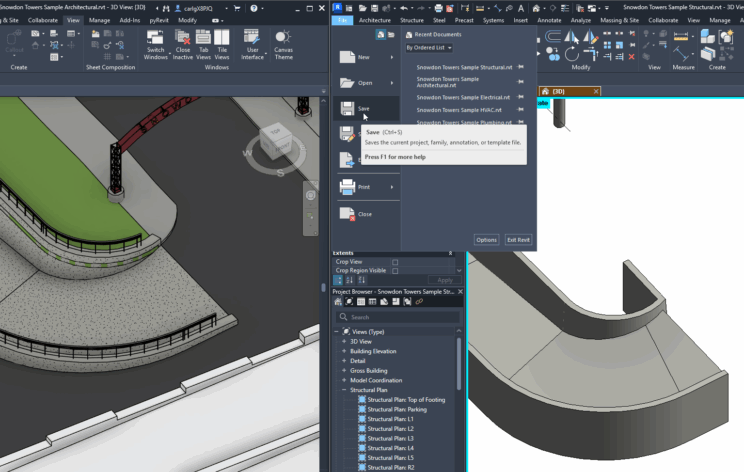
- Now to update changes, you simply need to save your changes in the model you made changes to.
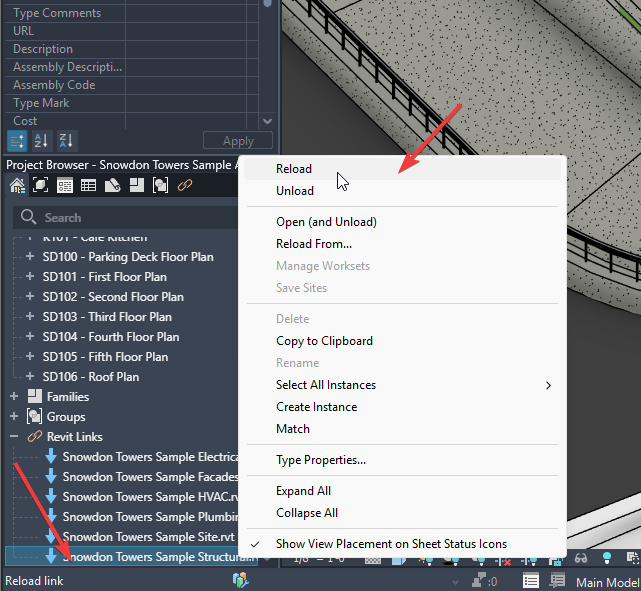
- Then reload it in the host model through the Manage Links tool or Reload from the Project Browser. I prefer the family browser
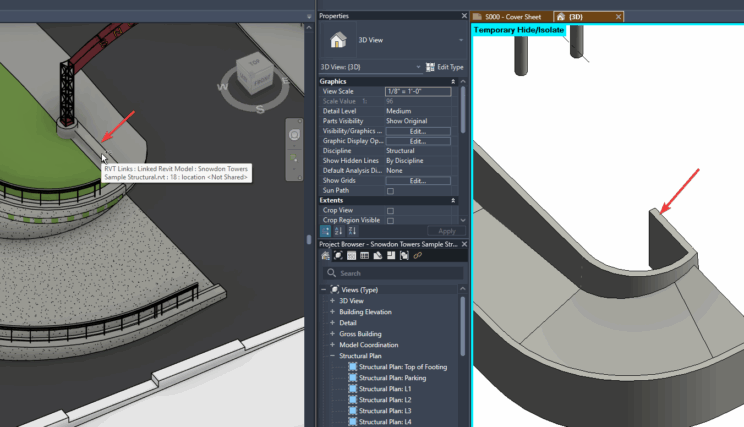
Like I mention in the video, when I’m working heavily in coordinated model projects, I very rarely make it through a day with just one instance of revit open for the project. It just becomes a fact of life.
Happy Reviteering!